In this beginner-friendly codelab, you will learn how to:
- Use Google AI Studio to process your CV and generate structured portfolio data.
- Build and deploy a professional portfolio website without writing code.
- Host it securely on Google Cloud Run using free credits.
- Set up a custom domain with automatic HTTPS.
- Keep your portfolio updated via GitHub integration or manual updates.
By the end, you'll have your own live professional portfolio powered by Google AI + Cloud Run, with simple tools for ongoing updates.
You don't need to be a developer. All you need is:
- A Google Account
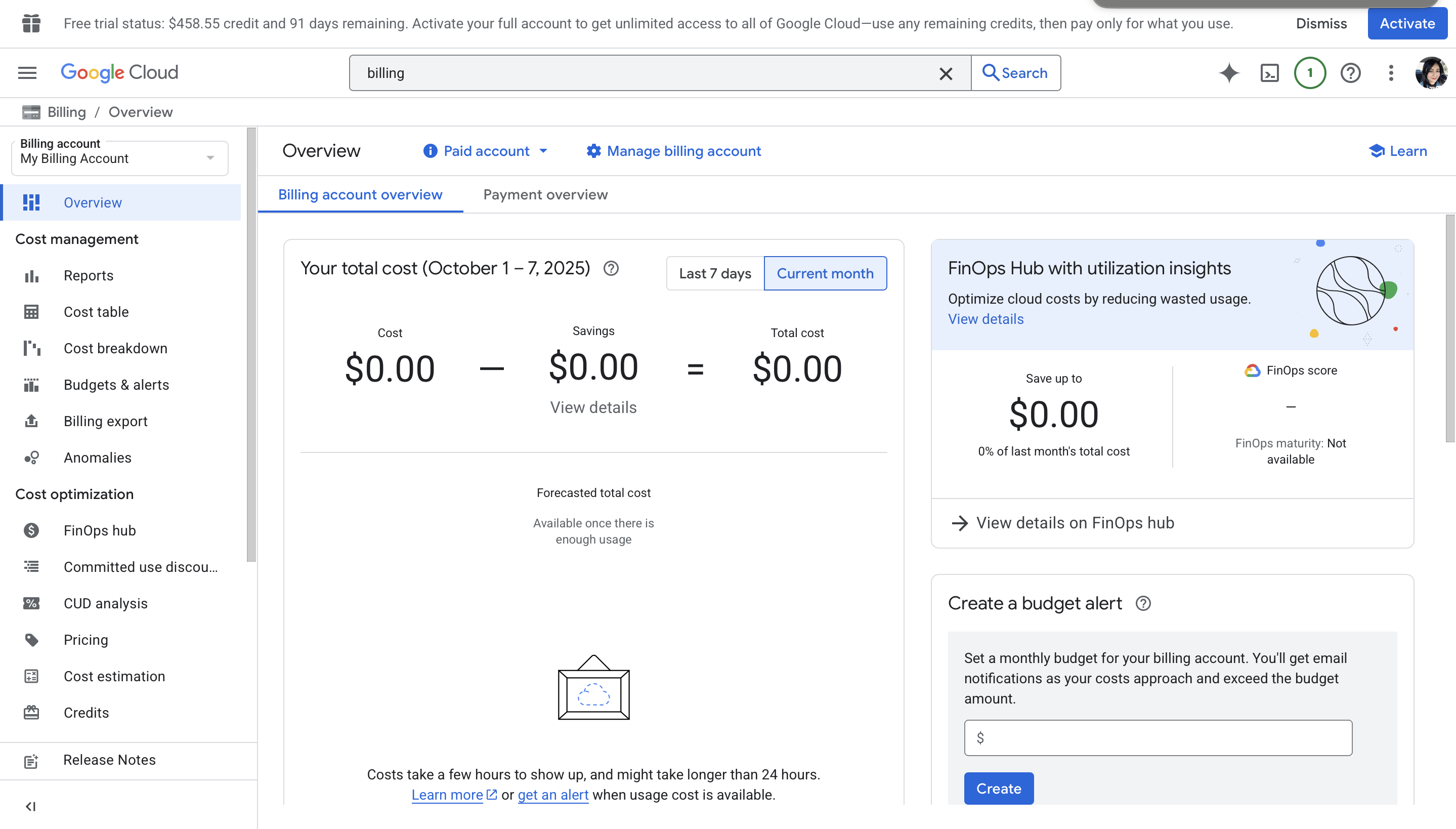
- A Google Cloud Project with billing enabled (DevFest attendees receive free credits)
- Your CV in PDF or DOCX format
💡 Tip: Free trial credits usually cover all costs for this workshop. A portfolio site on Cloud Run typically costs only a few cents per month after free credits.
Google AI Studio Free Tier Google AI Studio offers a free tier for certain services, which covers:
- AI processing tasks like generating structured data from your CV.
- Limited usage of machine learning APIs and models.
Note: Beyond the free tier, charges apply based on the amount of data processed or API calls made. However, the free tier is typically sufficient for a small-scale project like generating structured data for your portfolio.
Google Cloud Run Free Tier Cloud Run also offers a generous free tier for hosting your website, including:
- 2 million requests per month.
- 180,000 vCPU-seconds per month.
- 360,000 GiB-seconds of memory per month.
- 1 GB of outbound data per month.
Tip: The free tier should cover most small-scale portfolio websites. After the free quota is exceeded, you'll incur very modest charges, typically just a few cents per month depending on usage.
Duration: 20 minutes
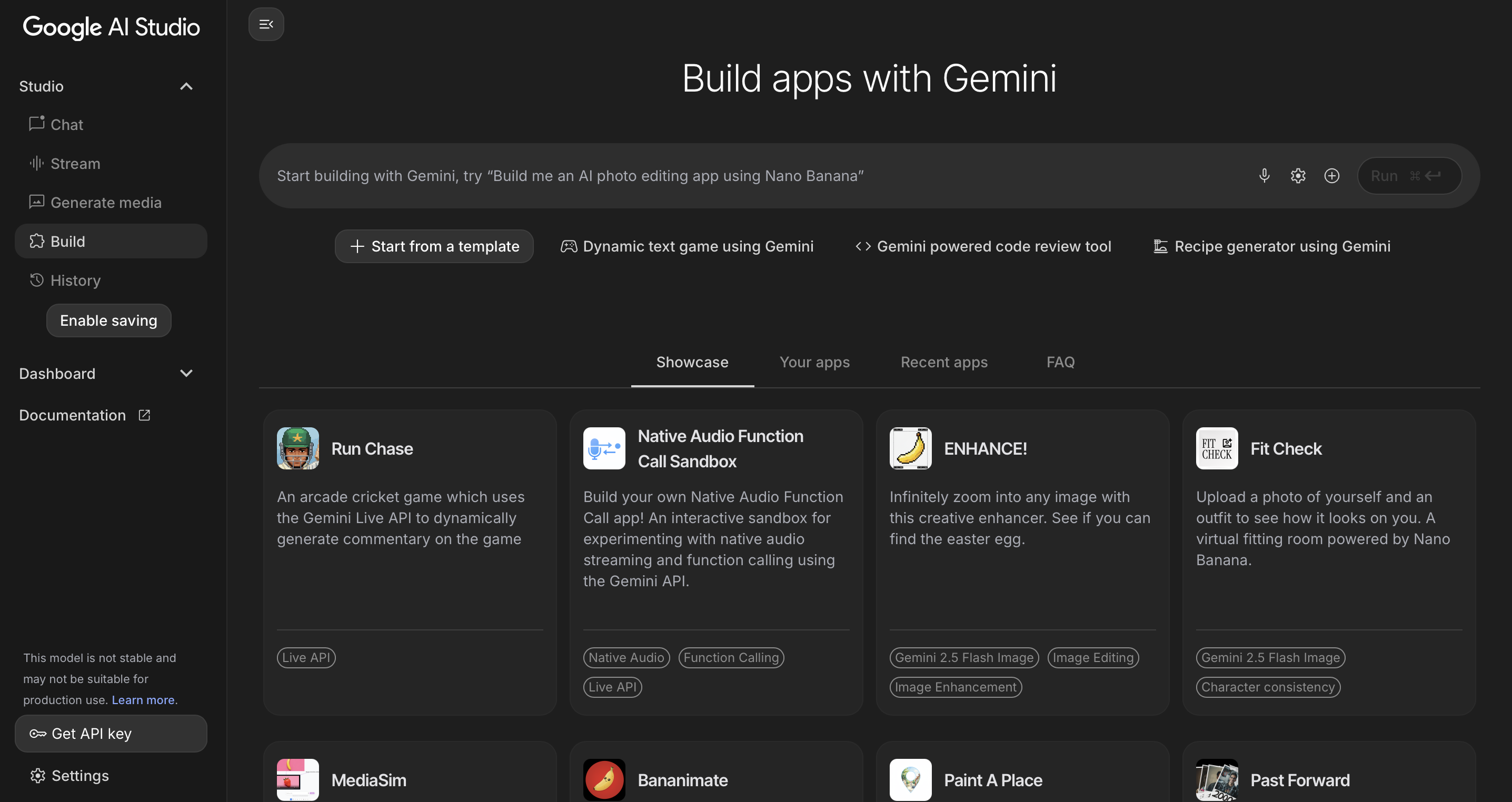
- Go to Google AI Studio.
- Click Build → Start from a template → Choose Empty Project.
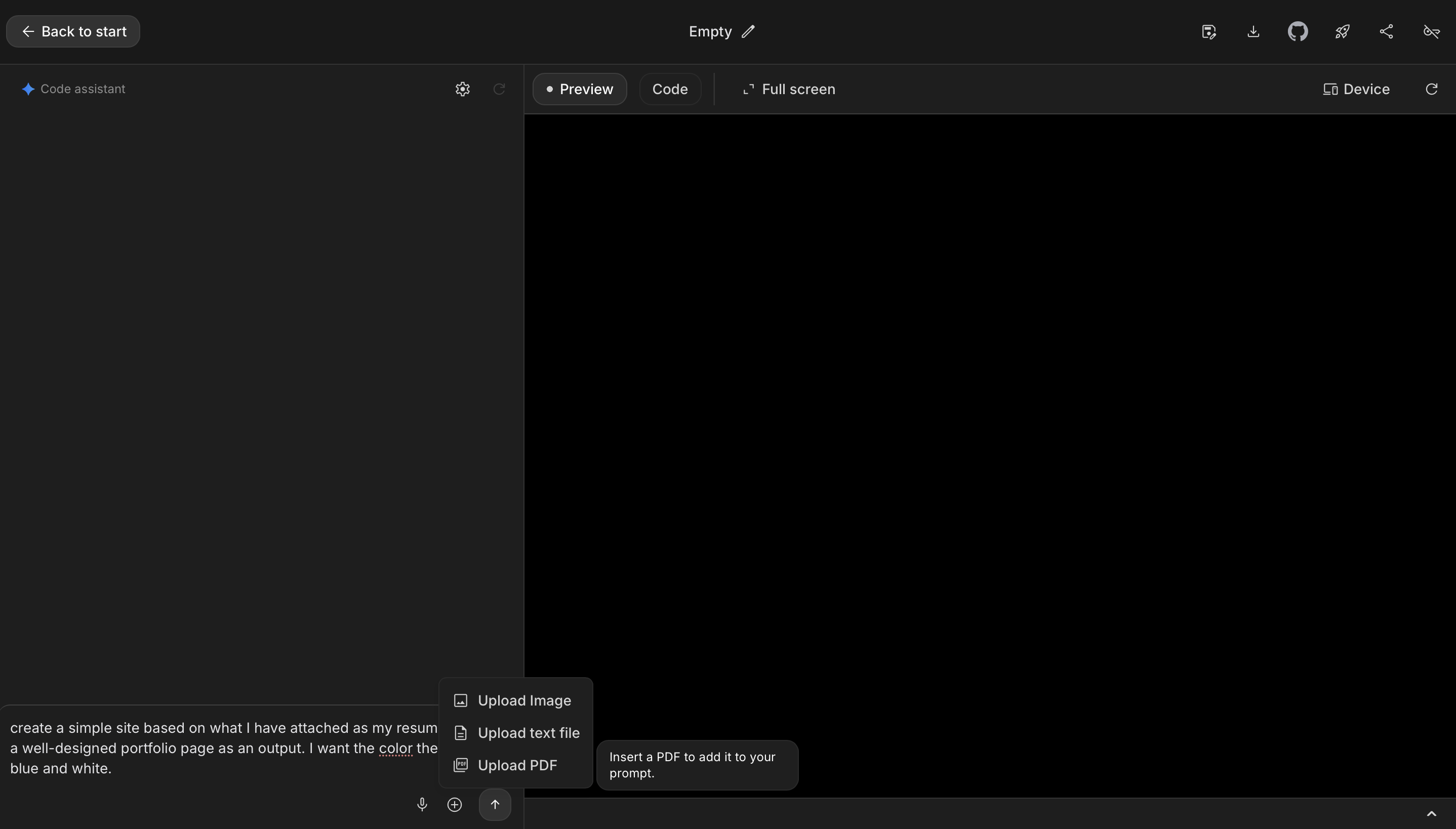
- Upload your CV (PDF). If you'd like, you can use this dummy CV.
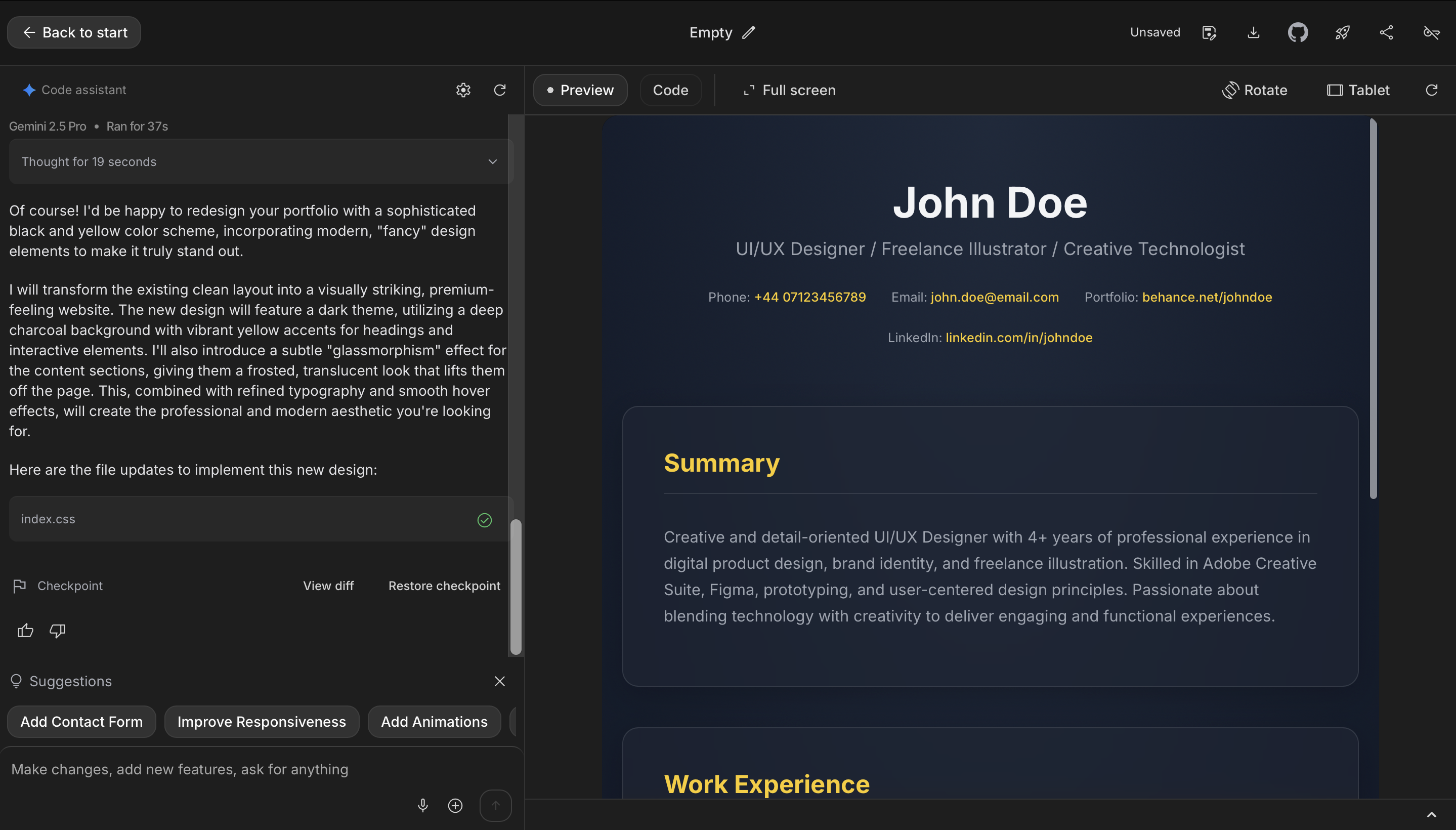
- Use the following starter prompt:
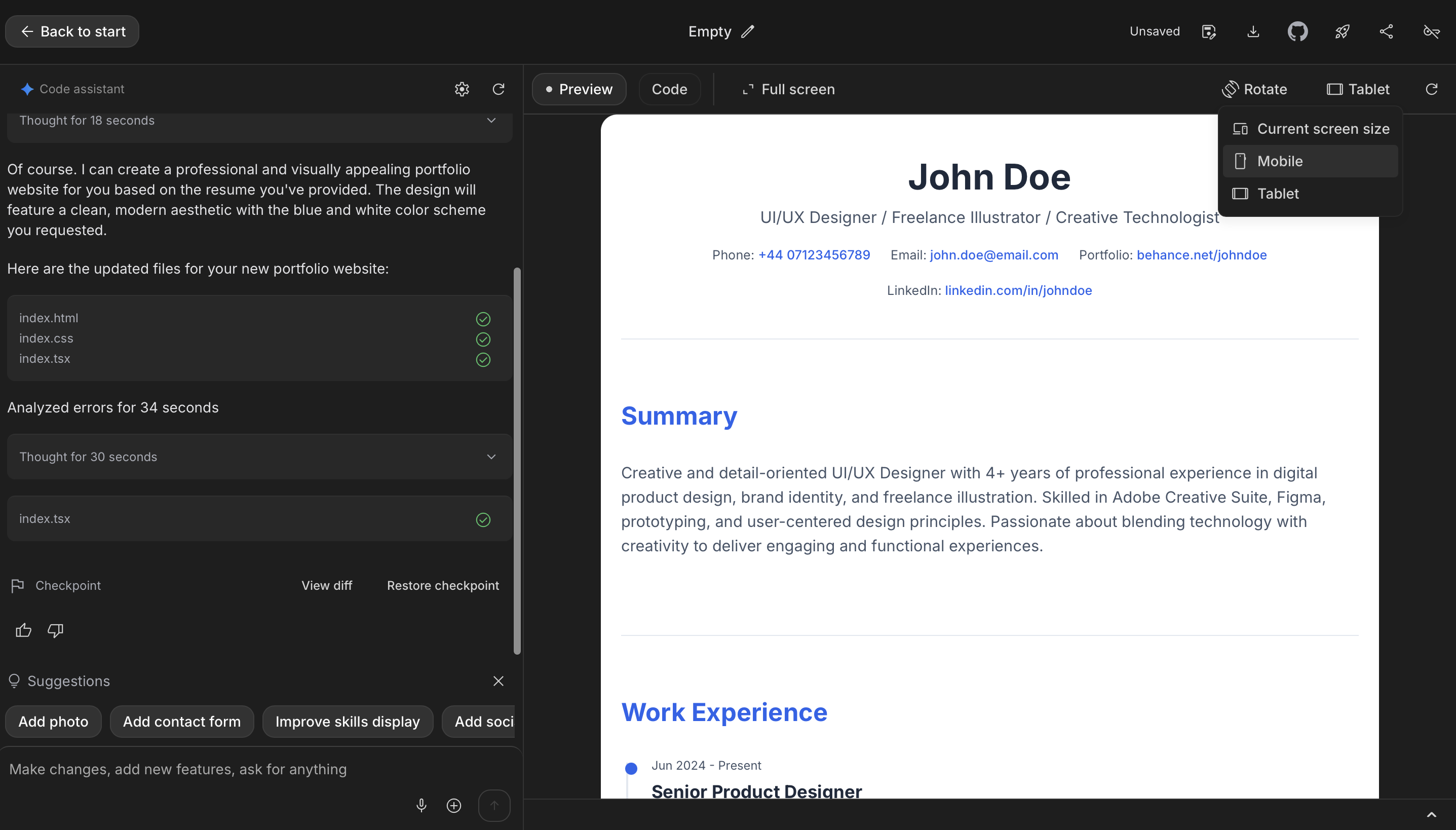
create a simple site based on what I have attached as my resume and give a well-designed portfolio page as an output. I want the color theme to be blue and white. - Click Send Prompt and review the preview in the Preview section.
- If the preview isn't exactly what you want, feel free to modify the prompt to fine-tune the design and content (e.g., "Change the font to Inter and make the ‘Skills' section a four-column grid").
- Once you're satisfied with the design and structure, click Deploy.
Optional: Try an Alternative Detailed Prompt
If you want a more complex or specific design immediately, try using this detailed prompt. It acts as a comprehensive set of instructions (a system instruction) to guide the model's output.
Situation
You are an expert web developer and UI/UX designer tasked with creating a professional portfolio website. The client needs a complete, functional website that showcases their professional background and skills in an elegant, modern design that will impress potential employers or clients.

Task
Create a simple, well-designed portfolio website with the following specifications:
- Build a complete HTML/CSS website structure
- Design a professional portfolio page layout
- Implement a blue and white color scheme throughout
- Ensure the design is visually appealing and modern
- Make the site responsive and user-friendly
- Include all relevant sections typically found in a professional portfolio

Objective
Develop a sophisticated, professional online presence that effectively showcases the individuals qualifications, experience, and skills in a visually striking format that stands out to potential employers or clients.

Knowledge
- Use a black and yellow color palette as the primary design theme
- The design should be "fancy" — incorporate modern design elements such as clean typography, proper spacing, subtle animations or hover effects, and professional styling
- Include standard portfolio sections: header/navigation, about section, experience/work history, skills, projects (if applicable), and contact information
- Ensure the website is responsive and works well on both desktop and mobile devices
- Use modern web development best practices for clean, semantic HTML and efficient CSS
- Consider incorporating subtle design elements like gradients, shadows, or modern card-based layouts to enhance the visual appeal
- The assistant should extract and organize information from the provided resume to populate the website content, ensuring all professional details are accurately represented and well-structured for web presentation.
Now, we're going to deploy this portfolio site to Cloud Run.
- Click Deploy button
- Select your Google Cloud project. If you don't have a project, create one.
- Choose your billing account (you'll need to select or set up billing if it's not already done). Once the billing is set up, proceed to the next step.
- Click Deploy app.
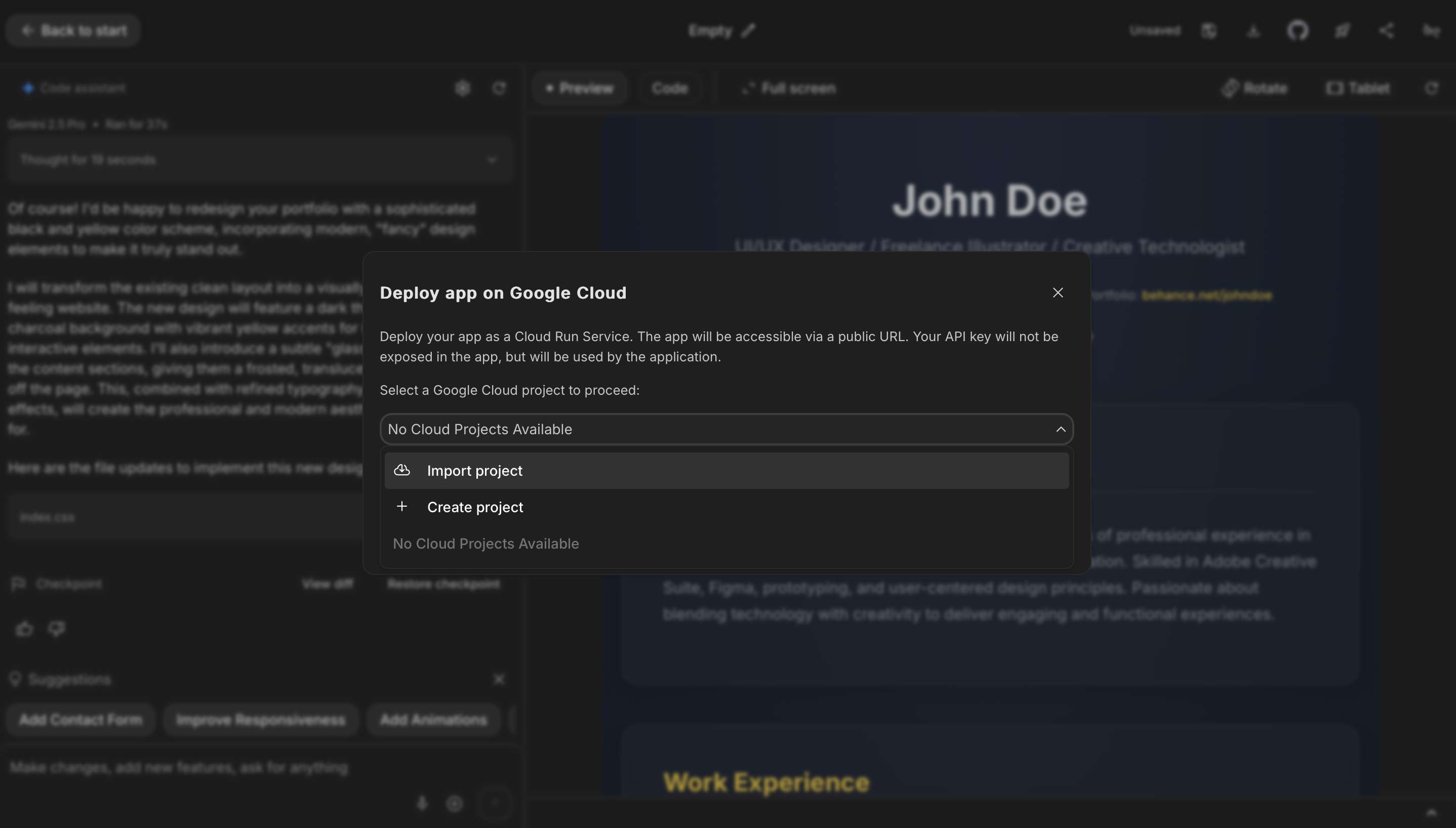
Your live site URL will appear once deployment is complete.
💡 Cost note: Cloud Run charges only when your site is visited. Free tier covers ~2 million requests per month.

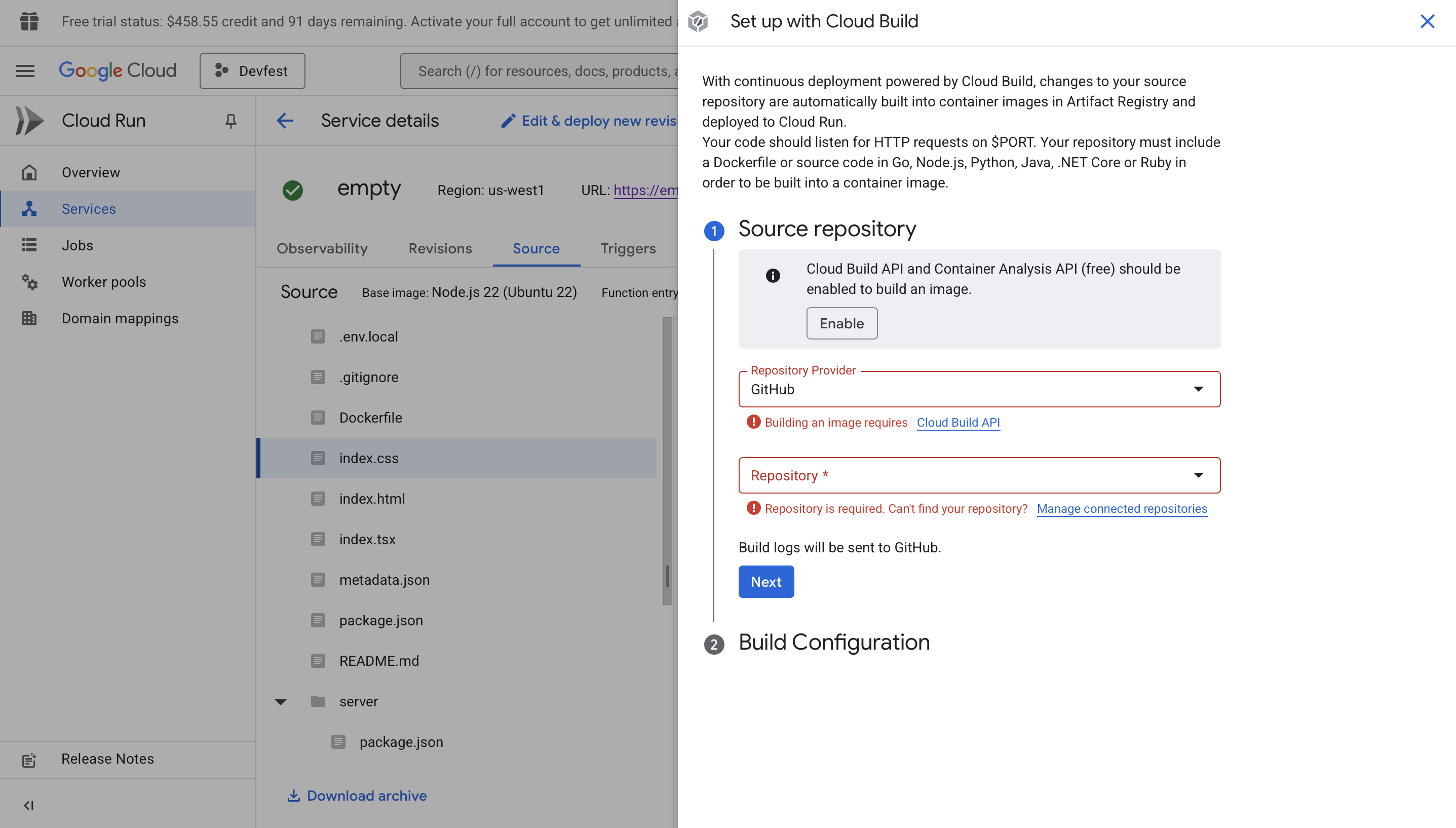
Option A: GitHub Integration (Automatic)
- Connect your repo your portfolio project to GitHub.
- In Google Cloud Run Services, click Connect repo → Set up with cloud build.
- Connect your GitHub repo and configure a trigger on new commits.
- Each time you update your CV or design and push changes, Cloud Run auto-redeploys.
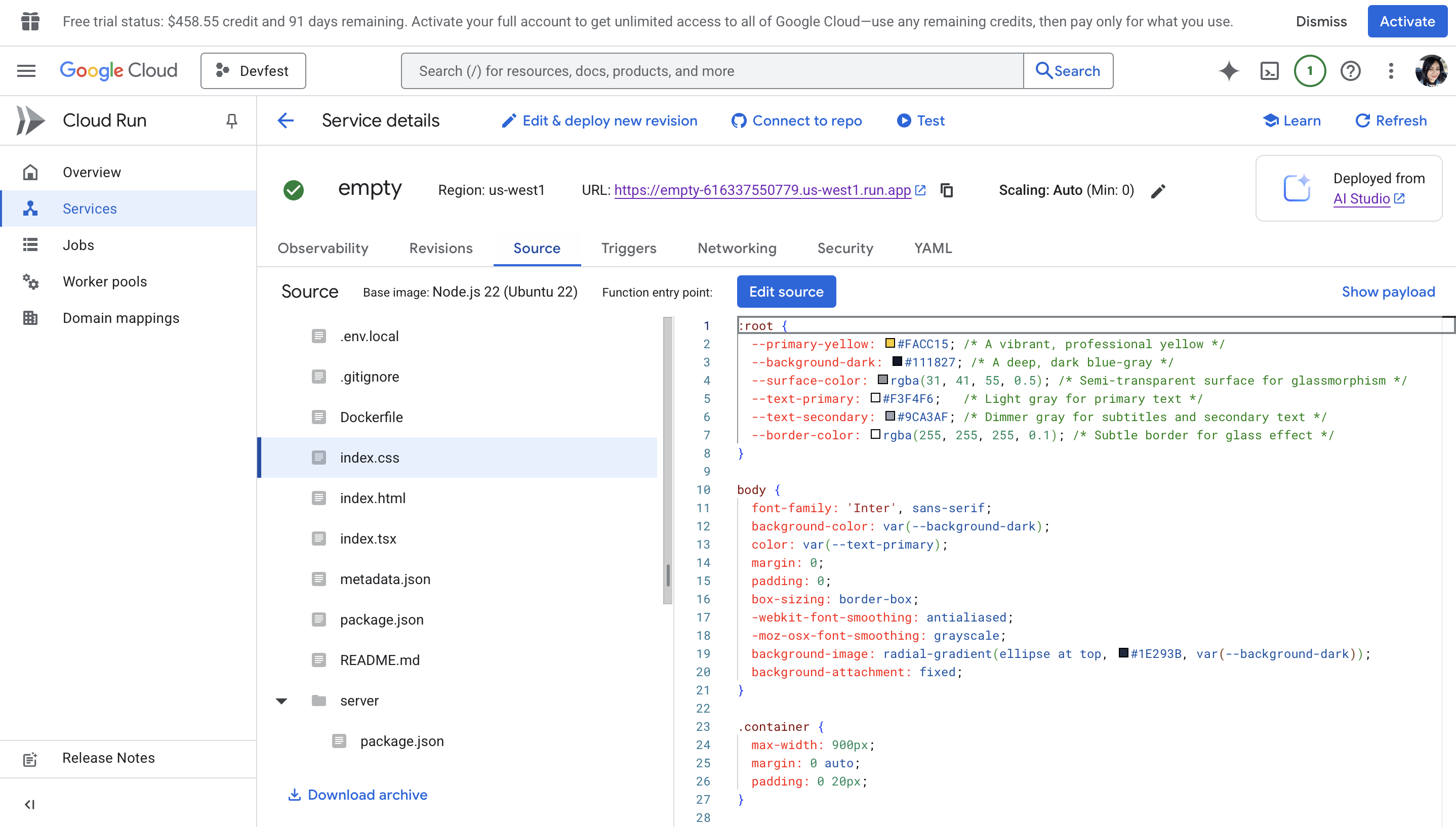
Option B: Manual Updates
- Open Cloud Run Console.
- Select your service → Source.
- Go to the file and click Edit source.
- Each time you update you can save and click redeploy.
- Register a domain (Google Domains or your provider).
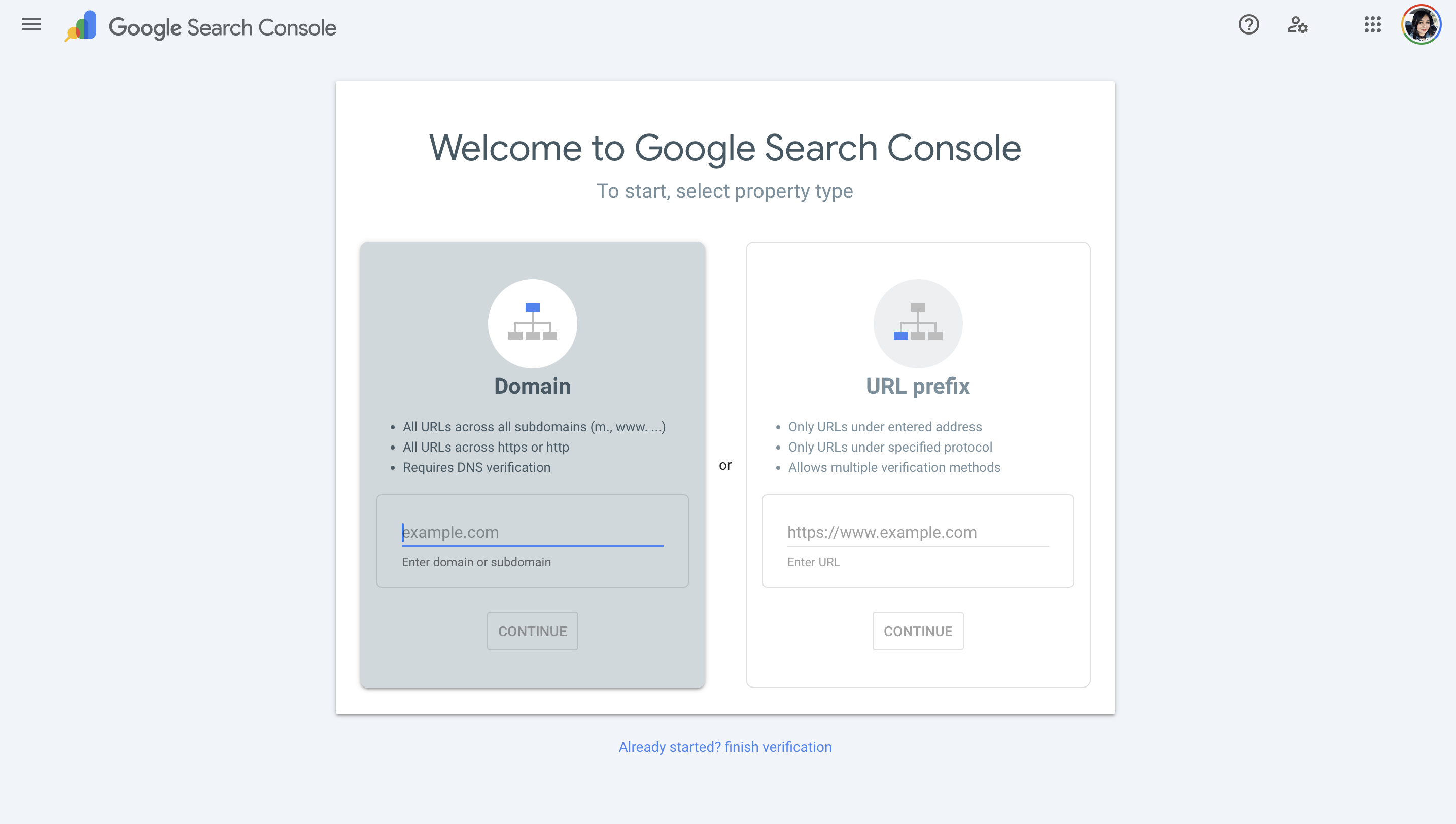
- Verify ownership in Google Search Console (add a TXT record in DNS).
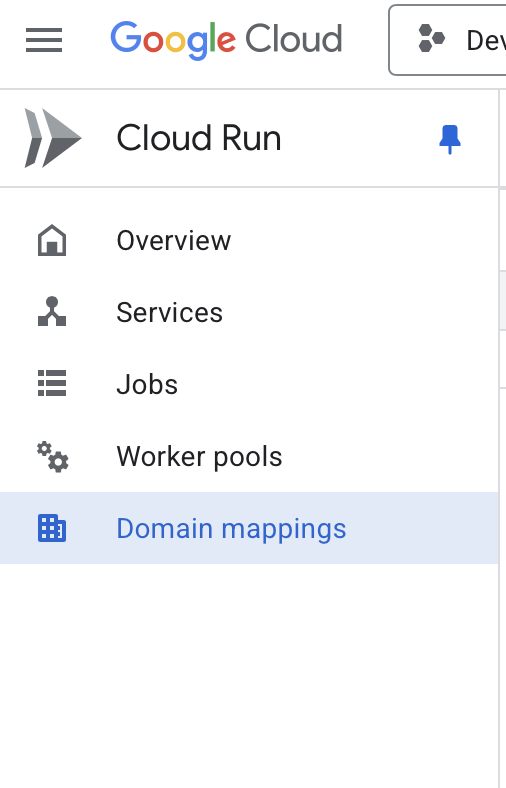
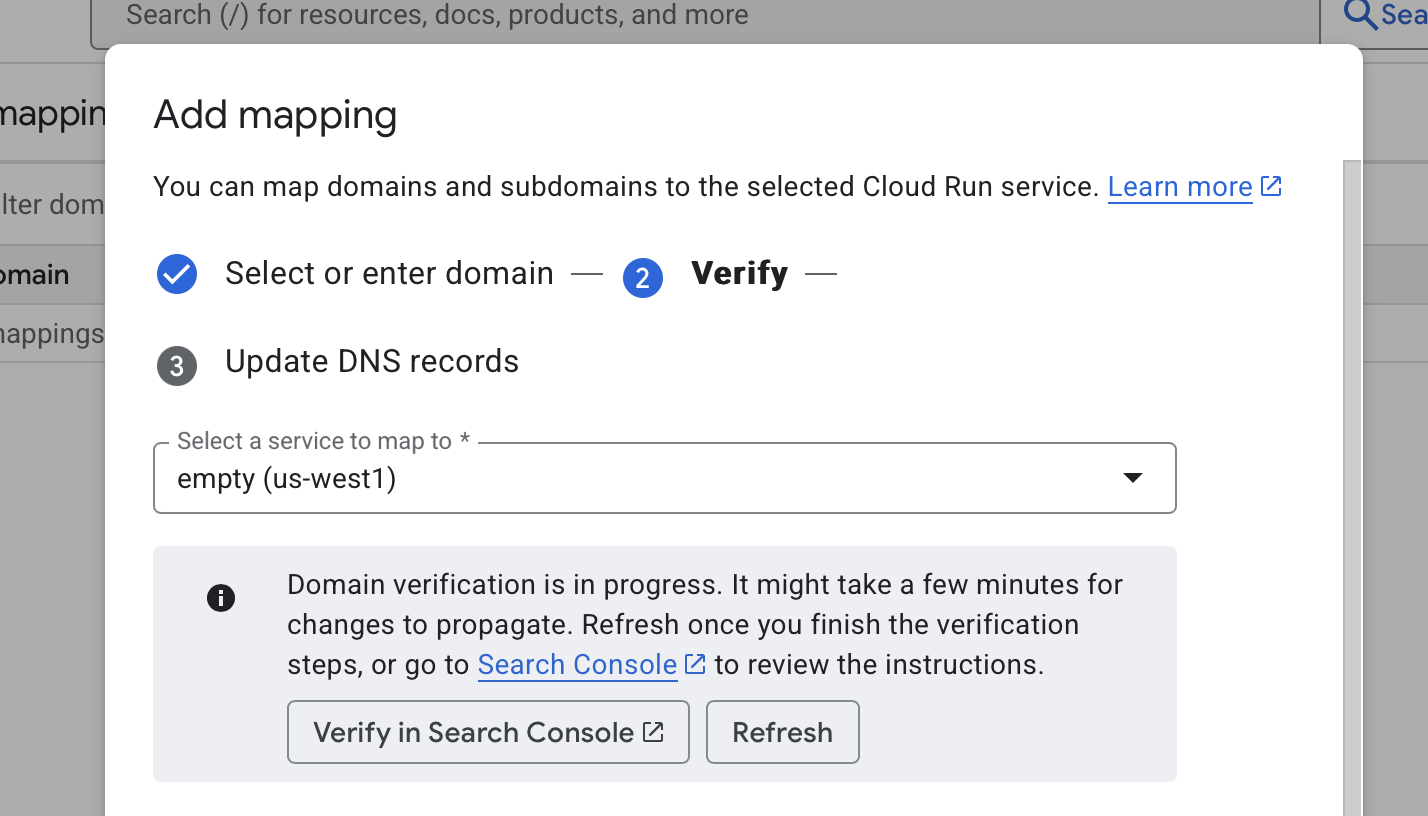
- In Cloud Run Console, go to Custom Domains → Add Mapping.
- Enter your domain, link it to your service, and follow DNS instructions.
- Cloud Run automatically provisions SSL certificates (HTTPS).
💡 Note: DNS changes may take several minutes (sometimes hours) to propagate. Be patient.
- Website not loading? Check if you allowed unauthenticated access in Cloud Run.
- Domain not working? Ensure DNS records match exactly what Cloud Run provided.
- Credits running out? Monitor in Billing Console. Delete unused services to save costs.
Congratulations! You now have:
- A professional AI-powered portfolio website.
- Deployed on Google Cloud Run with near-zero ongoing costs.
- A mapped custom domain with HTTPS.
- A workflow for keeping it up to date automatically.
You can extend your portfolio by:
- Adding a blog using Google Docs + static site integration.
- Embedding a contact form with Firebase.
- Tracking visitors using Google Analytics.
Show me what you've built! If you got creative, don't hold back — I'd love to see it : LinkedIn